Call Of Duty | MW4 | BO7 | WZ
 HWID SPOOFER
 Fortnite
 Rust
 Abex
 Rob Run


COD ACCOUNT SETUP · QUICK GUIDE
How to get a cheap phone number to verify your COD account
Need another phone number to verify a new COD account for Warzone? This guide shows the steps in SMS Virtual. It is a separate service, and you get the number directly in its app.
Follow the five steps below. Tap a screenshot to enlarge it.
Download SMS Virtual
Install SMS Virtual – Receive SMS. Look for the blue SIM-card icon shown here, then open the app.

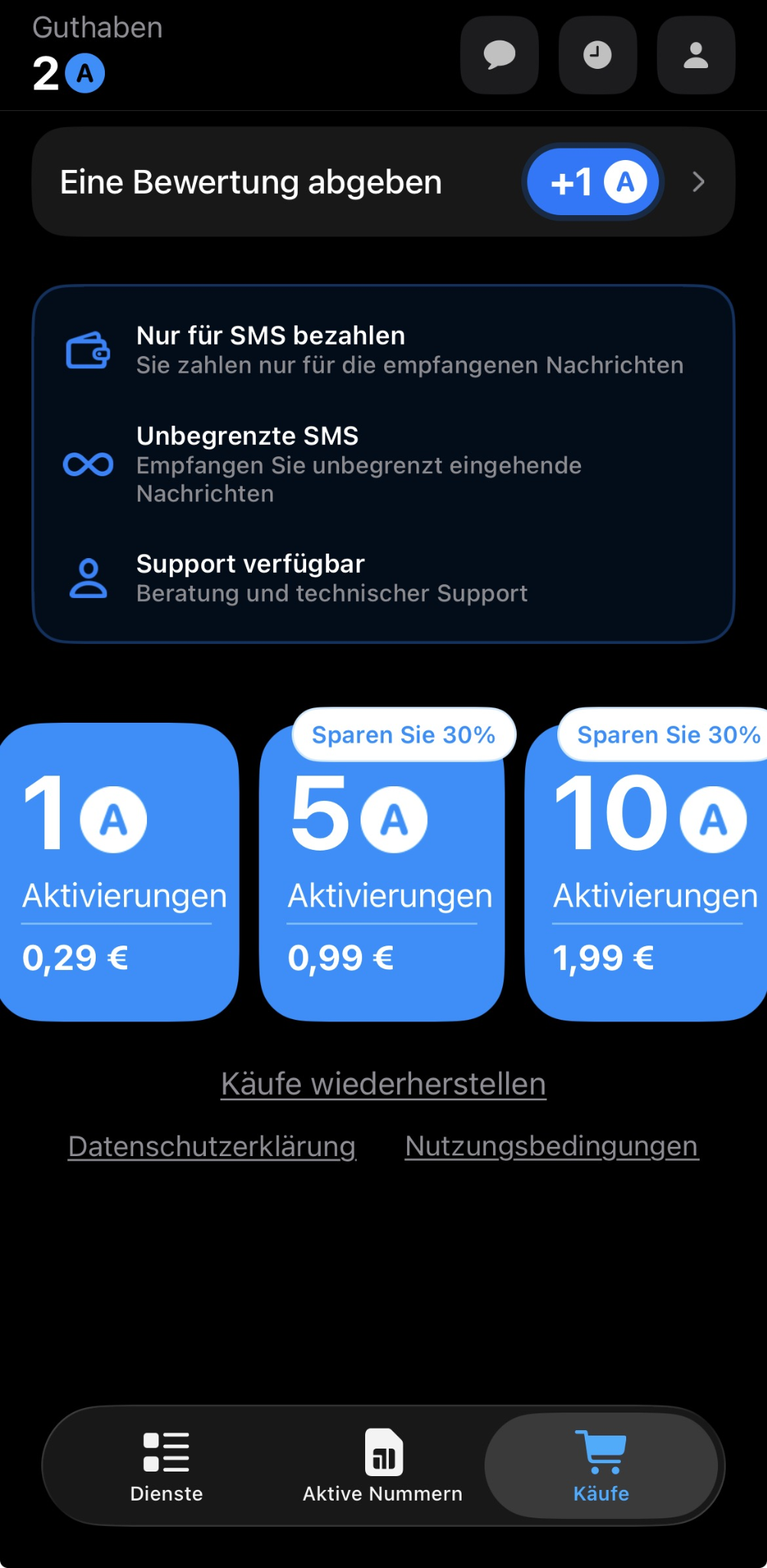
Top up in the app
Open Purchases, choose a credit pack and complete the payment in the app-store checkout.
The screenshot shows 5 credits for €0.99 in SMS Virtual. Check the current price in the app before paying.
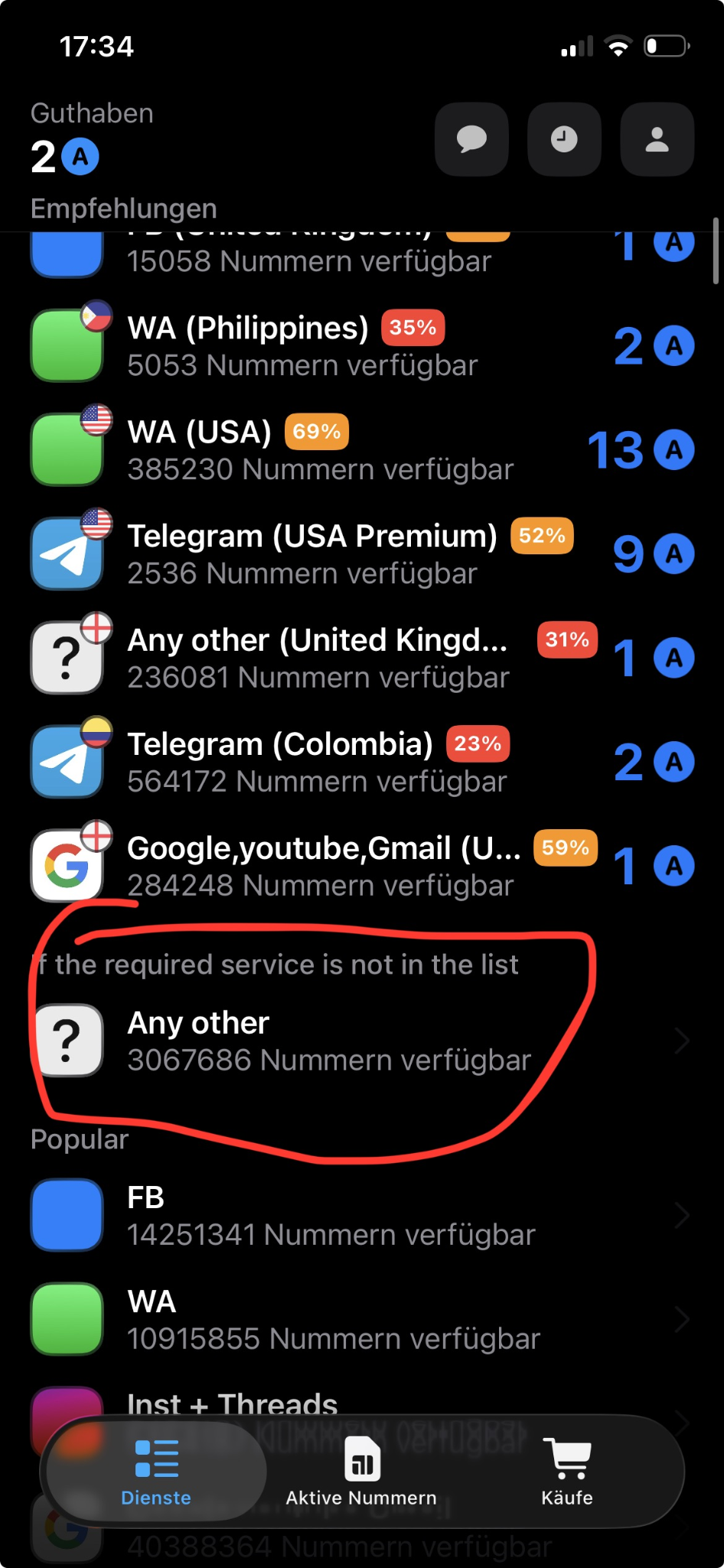
Select “Any other”
Go to Services and tap Any other — the option circled in red in the screenshot.
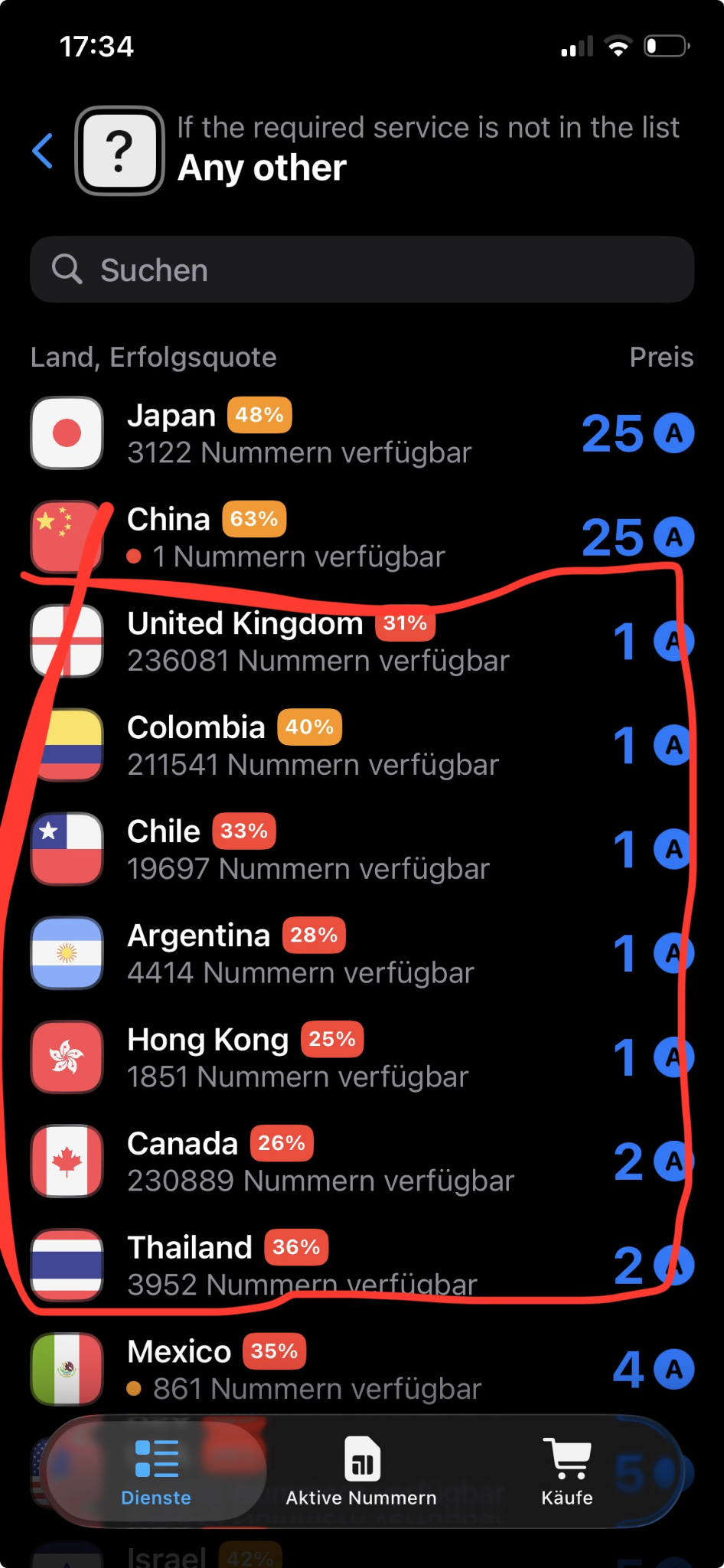
Get a United Kingdom number
Select United Kingdom. In the screenshot, SMS Virtual lists it for 1 credit. Buy the number in the app and copy it.
The number stays active for about 20 minutes, so continue straight to COD.
Temporary numbers may not be accepted on every account.
Enter the number in COD
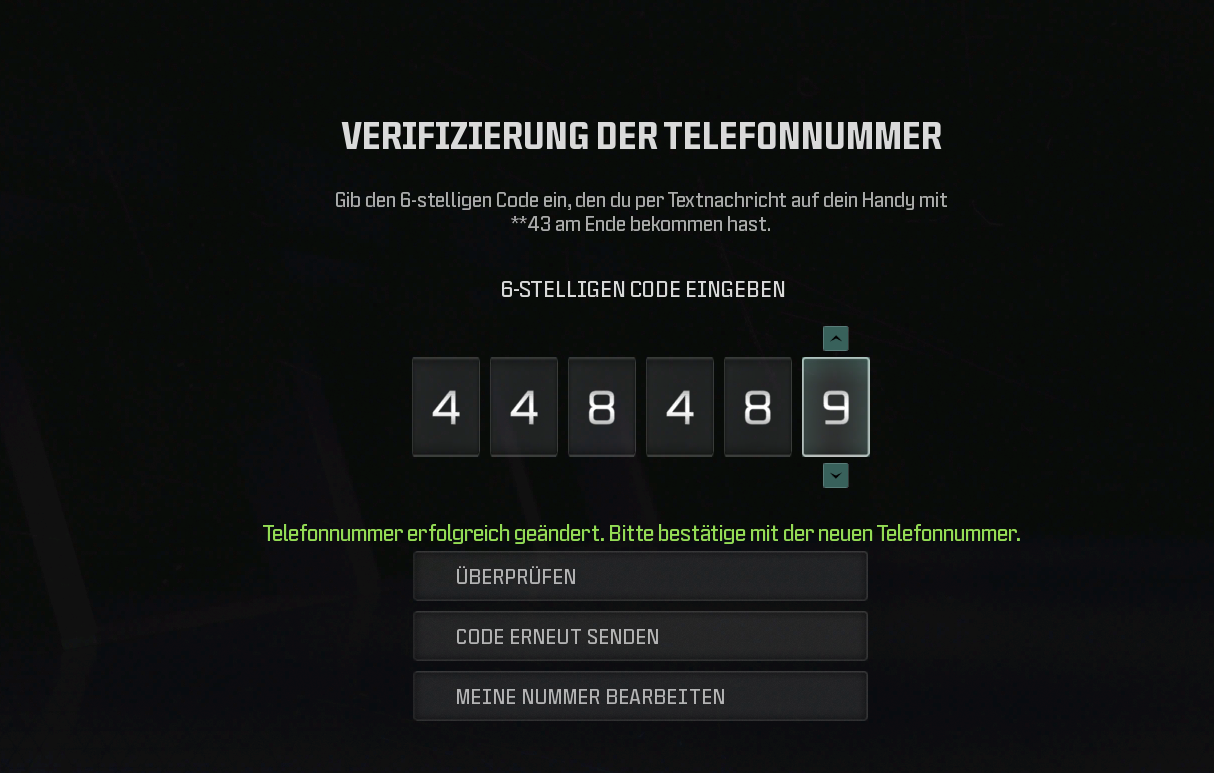
Paste the number into COD’s phone verification form. Use the United Kingdom (+44) country code — only enter +44 once.
Request the SMS, then open your active number in SMS Virtual. Wait for the message, copy your verification code and enter it in COD. Confirm it, and you’re done once COD accepts the code.